What is WebMCP, and does your website need it?
WebMCP lets AI assistants use your website's forms properly instead of guessing. What it is, where it stands in 2026, and whether your site needs it yet.
Author
Posted
Reading Time
In this article
- 1Why are AI assistants filling in forms?
- 2What is WebMCP, in plain English?
- 3How does it work on a real website?
- 4Where does WebMCP stand in October 2026?
- 5Does your website need WebMCP yet?
- 6What have we done on our own site?
- 7What could WebMCP mean for your website?
- 8Frequently asked questions
- 9Is WebMCP the same as MCP?
- 10Can an AI assistant send my forms without anyone checking?
- 11Which browsers support WebMCP?
- 12Will WebMCP help my Google ranking?
- 13Want to know where your site stands?
WebMCP is a proposed web standard that lets a website tell AI assistants exactly what they can do on it, such as sending an enquiry or booking a slot, and how. Instead of guessing their way around your pages, the assistant gets a short, labelled list of actions, and the person using it stays in charge.
If you have seen the term in a site report or a news piece and wondered whether you are already behind, this guide explains what it is, where it stands today and what is worth doing about it.
Why are AI assistants filling in forms?
More people now ask an AI assistant to do things for them, not just answer questions. "Find a local firm that does this and ask for a quote." "Book me in for next Tuesday." Assistants built into browsers, such as Gemini in Chrome, are starting to open websites and work through them on someone's behalf.
The trouble is how they do it today. An assistant looks at a page the way a stranger would, reading the layout and guessing which box is the email field and which button sends the form. When a page is clear, that often works. When a form is unusual, split across steps or loosely labelled, the assistant gets it wrong or gives up, and the enquiry never arrives.
What is WebMCP, in plain English?
WebMCP stands for Web Model Context Protocol. It borrows the idea behind MCP, the way AI tools connect to apps and data, and builds it into the web page itself.
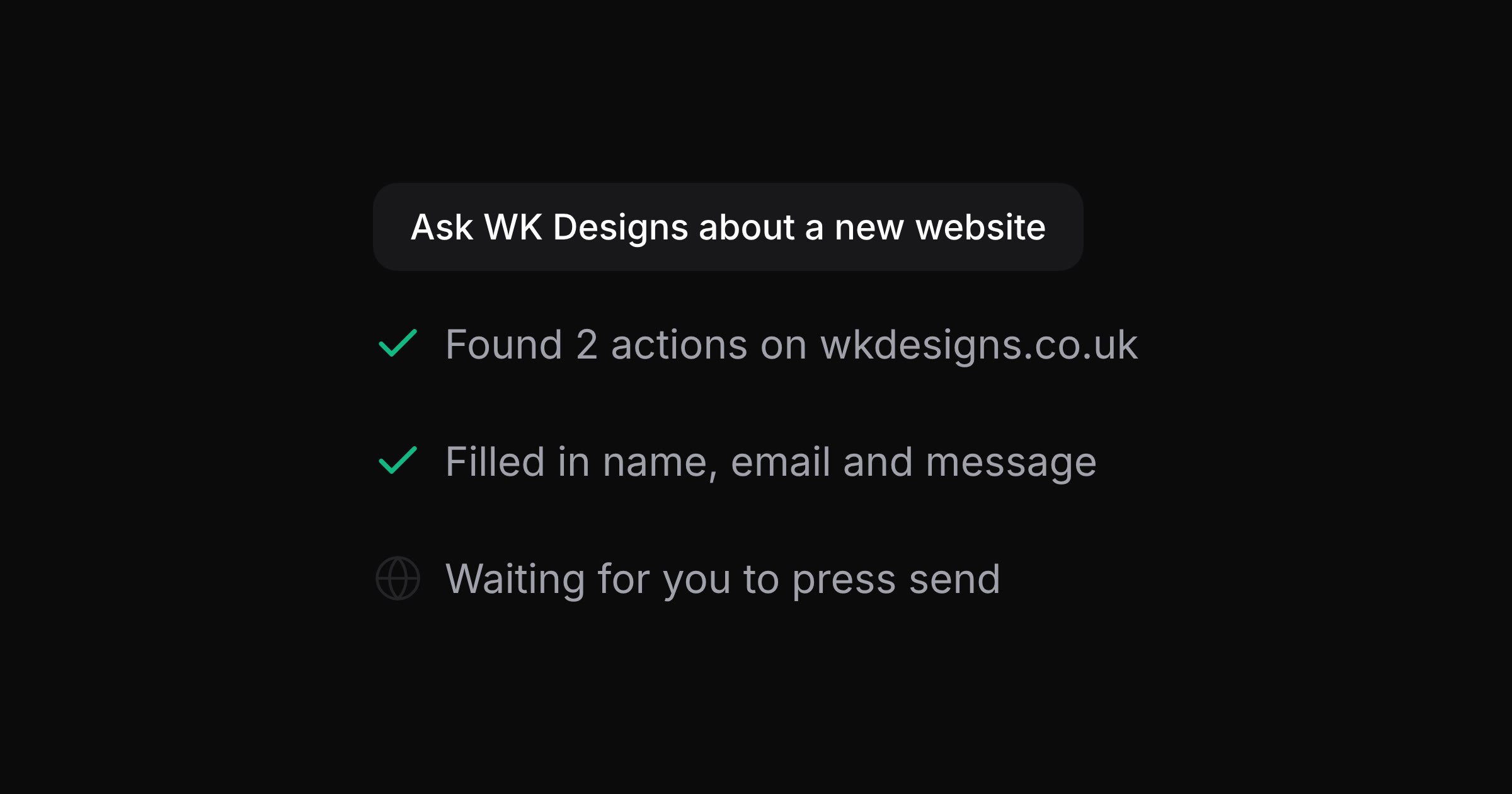
A website using WebMCP hands the assistant a menu. Each item is an action, with a name, a sentence saying what it does, and the details it needs. On our own site, one item says, in effect: send an enquiry to WK Designs, and here are the fields, name, email, phone and message. The assistant no longer has to work the page out. It reads the menu and fills in the right boxes.
How does it work on a real website?
There are two ways to add it.
- Labelling the forms you already have. A few extra attributes on an existing form turn it into an action an assistant can use. Nothing changes for people visiting the site.
- Describing actions in code. For things that are not a simple form, such as checking stock or narrowing down a product range, a developer can describe the action in JavaScript.
The visitor stays in control. Unless a site chooses otherwise, the assistant fills in the details and then stops, and the person checks them and presses send. Consent to be contacted stays with the person, not the assistant.
Where does WebMCP stand in October 2026?
It is early, and it is worth being honest about that.
- WebMCP is a draft from a W3C community group, written by engineers at Google and Microsoft. It is not a finished standard yet.
- Chrome is testing it as an origin trial, a public trial that sites sign up for, from version 149 to 156. Edge has it behind a setting, and Firefox and Safari have not committed to it.
- Gemini in Chrome is expected to be the first assistant to use it. Most other assistants still read pages the old way.
- There is no sign it affects Google rankings. Google's Lighthouse tool has started reporting on it in an experimental section on AI agents, which may be where you first saw the name.
Does your website need WebMCP yet?
Not urgently. Very few sites have it, and very few visitors use an assistant that can take advantage of it today.
What matters more right now is the work that helps every visitor and every assistant at once: a site that loads quickly on a phone, forms with clear labels, a page structure that screen readers can follow, and a plain description of your business that AI tools can read. With those in place, an assistant can already do a decent job on your site, and WebMCP becomes a small addition on top.
The case for adding it early is that it is cheap. Labelling an existing enquiry form is a small job, and it means that as assistants start using WebMCP, yours is a site they can work with properly from the start.
What have we done on our own site?
We added WebMCP to wkdesigns.co.uk in October 2026, so we could test it properly before recommending it to anyone.
- Sending an enquiry. Our contact form is an action called sendEnquiry. An assistant can fill in a visitor's name, email and message. It cannot tick the consent box or press send: the visitor does both, and the assistant is told whether the enquiry went through.
- Checking a website. Our free website health check is an action called checkWebsite. An assistant can give it a web address and start the check, and the results appear on the page about a minute later.
We tested both in Chrome with WebMCP switched on, and both work exactly as before for everyone else.
What could WebMCP mean for your website?
Think about the things people come to your site to do, and whether an assistant could do them for a customer who asked it to. A few ideas to start from, not a fixed list:
- a quote or enquiry form, filled in from what the customer has already told their assistant
- a booking or appointment form, with the date and time passed straight in
- a stock, availability or price check
- a call-back request
- a product or service finder that narrows a range down
The forms that bring in work are usually the ones worth labelling first.
Frequently asked questions
Is WebMCP the same as MCP?
They are related. MCP connects AI tools to apps and data behind the scenes. WebMCP brings the same idea into a web page, so the actions run in the visitor's own browser, inside their own session.
Can an AI assistant send my forms without anyone checking?
Only if the site allows it. A form can let the assistant submit it, which suits harmless actions such as running a search. For enquiries we leave that off, so a person always reviews the details and presses send.
Which browsers support WebMCP?
As of October 2026, Chrome through its origin trial and Edge behind a setting. Other browsers ignore the extra labels, so adding them does no harm.
Will WebMCP help my Google ranking?
Not directly. It is about what assistants can do on your site, not how high it ranks. A fast, clearly structured site helps with both, which is why that work comes first.
Want to know where your site stands?
Our free website health check shows how quickly your site loads, what to fix first and how ready it is for AI agents, WebMCP included. If you would like WebMCP added to your own forms, get in touch and we will tell you honestly whether it is worth doing yet.
Tell us what you're building. We reply within a day.